
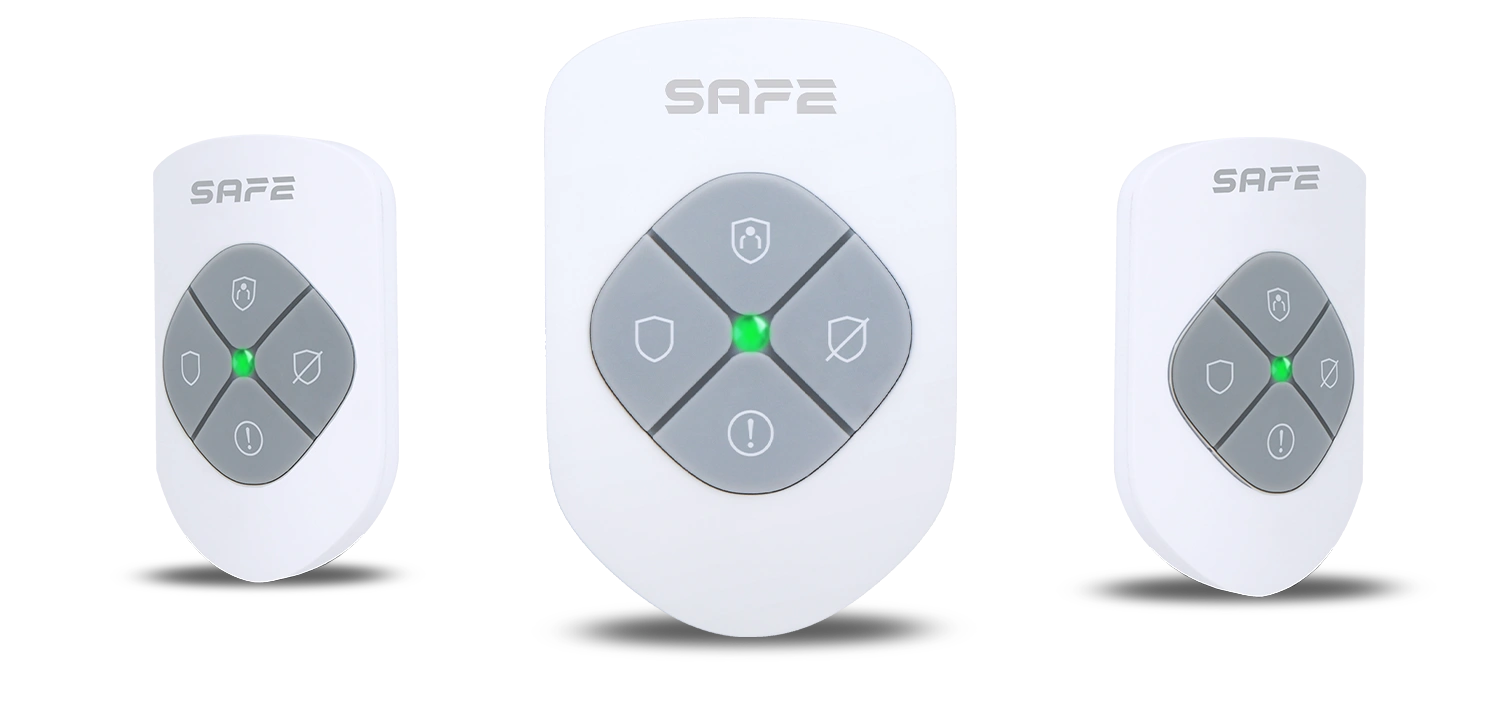
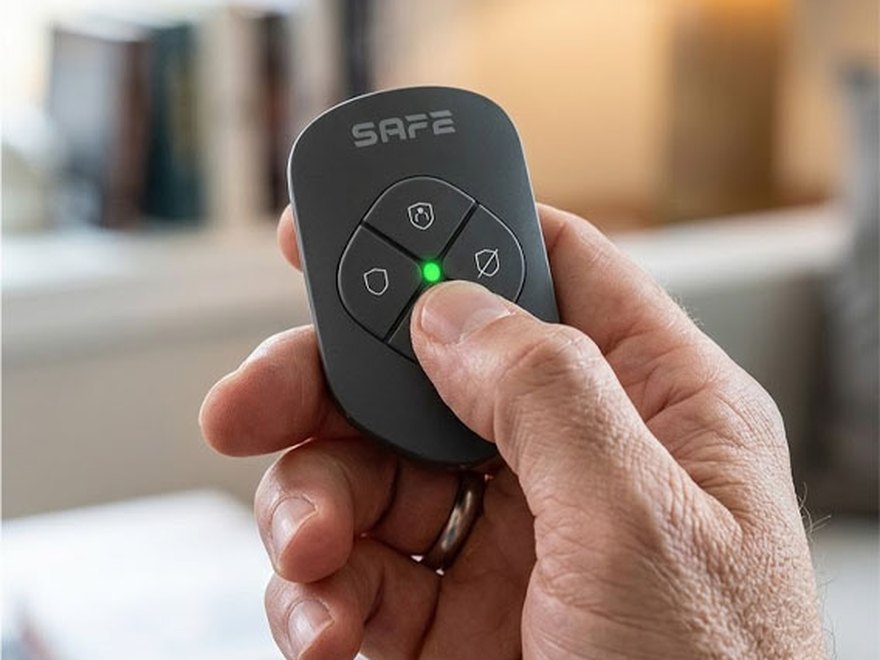
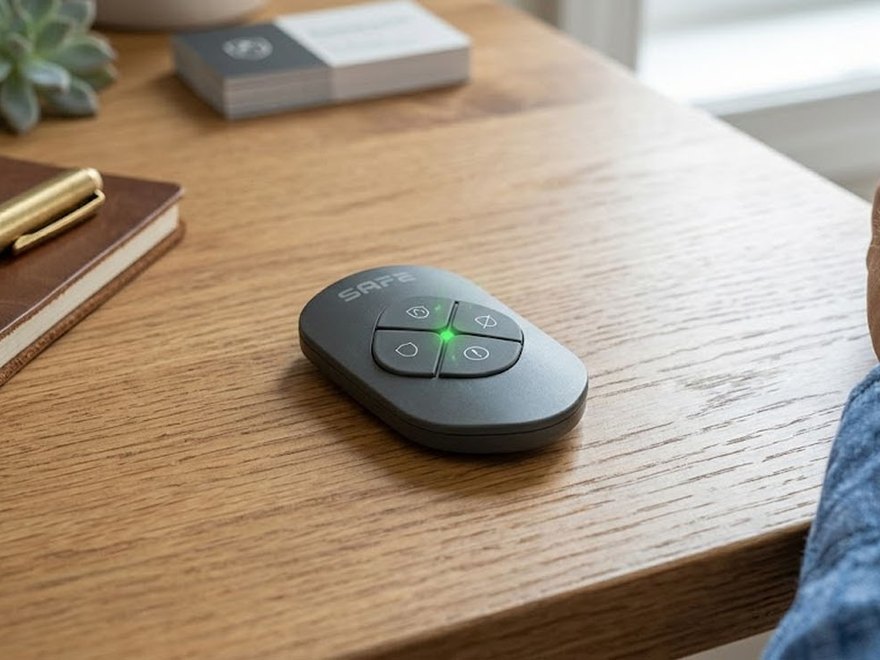
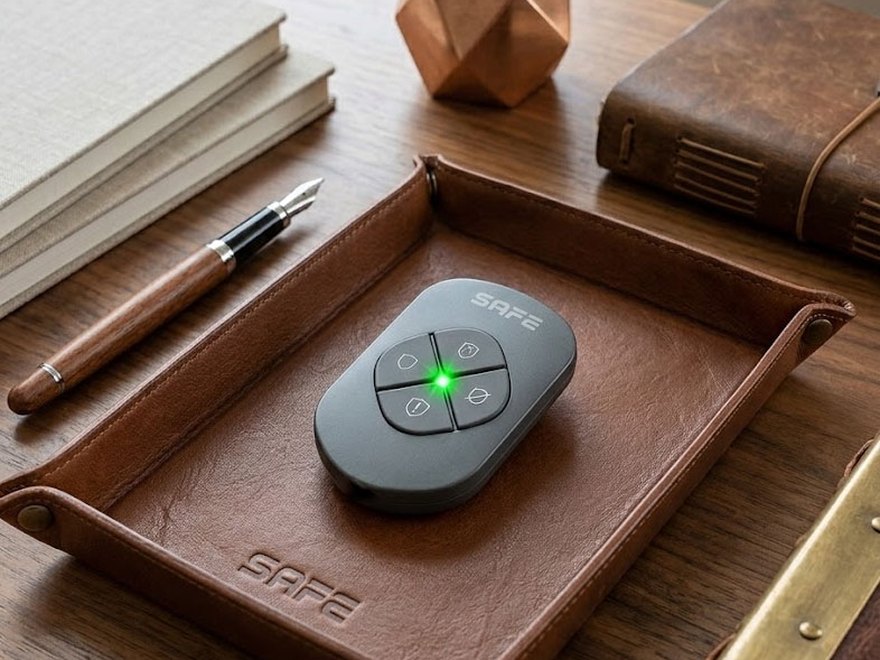
Key Control is a practical wireless remote control that you can easily attach to your keys or put in your pocket, keeping it handy at all times. This compact, versatile device features three buttons for simple control of the key functions of the SAFE security system – partial arming, full arming, or disarming. It also includes one freely programmable button, which can be used, for example, to trigger an SOS panic alarm, start a preset operation, or activate an automation scene.
Preface
General
This user manual describes the installation, functions, and operation of the wireless remote control (hereinafter the "remote control"). Before using the device, read this manual carefully and keep it for future reference.
Safety Instructions
The following signal words may appear in the user manual:
| Signal Word | Meaning |
|---|---|
| DANGER | Indicates a high potential hazard that, if not avoided, may result in death or serious injury. |
| WARNING | Indicates a medium or low potential hazard that could cause minor or moderate injury if not avoided. |
| CAUTION | Indicates a potential risk that could lead to property damage, data loss, reduced performance, or an unpredictable outcome. |
| TIP | Provides methods to help you solve a problem or save time. |
| NOTE | Provides additional information, such as emphasis and supplementary text. |
Revision History
| Version | Revision Content | Release Date |
|---|---|---|
| V1.0.0 | First release. | August 2026 |
Privacy Notice
As a device user or data controller, you may collect personal data of others, such as their face, fingerprints, and license plate number. You must comply with local privacy laws and regulations to protect the legitimate rights and interests of other people by implementing measures that include, among others: providing clear and visible identification to inform people of the existence of the monitored area and providing the required contact information.
About the Manual
- The user manual serves as a reference guide only. There may be minor differences between the information provided and the product.
- We are not liable for any damage resulting from using the product in a manner that does not comply with the instructions in the user manual.
- The manual will be updated according to the latest laws and regulations of the relevant jurisdictions. For detailed information, refer to the printed user manual, scan the QR code, or visit our official website. The manual is for reference purposes only. There may be minor differences between the electronic and paper versions.
- All designs and software are subject to change without prior written notice. Due to product updates, certain differences may occur between the product and the information in the manual. Customer service will provide you with the latest version of the software and supplementary documentation.
- There may be printing errors or discrepancies in the description of functions, operations, and technical data. In the event of doubt or dispute, we reserve the right of final explanation. If the manual (in PDF format) cannot be opened, update your reader software or try a different common reader software.
- All trademarks, registered trademarks, and company names in the manual are the property of their respective owners.
- If you encounter any problems while using the device, visit our website or contact your supplier or customer service.
- In the event of ambiguity or dispute, we reserve the right of final explanation.
Important Safeguards and Warnings
This section contains information on the proper handling of the product, risk prevention, and prevention of property damage. Read it carefully before using the device and follow the instructions provided when using it.
Operating Requirements
- Before use, make sure the device's power supply is working properly.
- Do not unplug the device's power cable while it is switched on.
- Use the device only within its rated power range.
- Transport, use, and store the device within the permitted humidity and temperature conditions.
- Prevent liquids from splashing or dripping onto the device. Make sure there are no liquid-filled objects on the device, to prevent liquid from entering it.
- Do not disassemble the device.
Installation Requirements
- Before switching on, connect the device to the power adapter.
- Strictly comply with local electrical safety standards and make sure the voltage in the area is stable and matches the device's power requirements.
- Do not connect the device to more than one power source. Otherwise, the device could be damaged.
- When working at heights, follow all safety procedures and use the required protective equipment.
- Do not expose the device to direct sunlight or heat sources.
- Do not install the device in damp, dusty, or smoky locations.
- Install the device in a well-ventilated location and do not block its ventilation.
- Use the power adapter or power supply provided by the device manufacturer.
- The power supply must meet the ES1 requirements of IEC 62368-1 and must not exceed PS2. The power supply requirements are governed by the device's rating label.
- Connect Class I electrical appliances to a socket with protective earthing.
Functional Elements
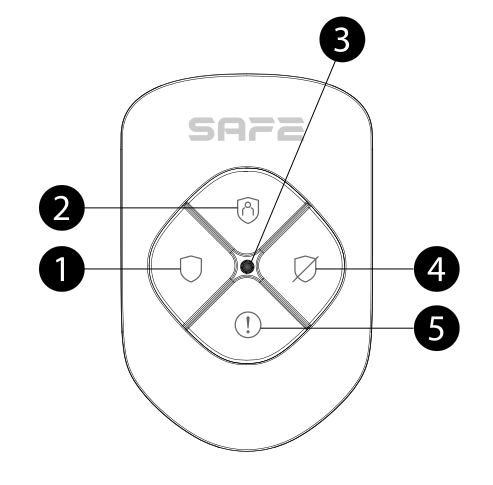
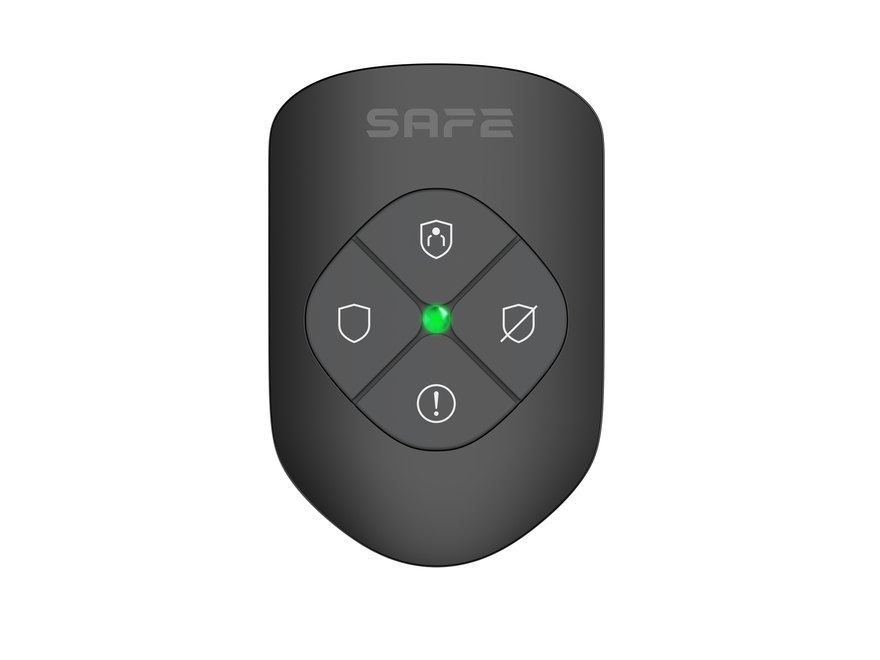
- Arm button – full arming of the security system (all devices in the assigned area).
- Partial arm button – arms only the selected devices in the assigned area (Home Armed mode).
- LED indicator – a two-color LED (green/red) that indicates the fob's status and confirms the executed command.
- Disarm button – disarms the security system.
- SOS / control button – triggers a panic alarm.
The package also includes a strap, which can be used to attach the fob to a key ring.
Operating Principle
Key Control is a miniature remote control that pairs with the hub and is used to control the SAFE security system in your home. When a button is pressed, the fob sends a radio signal to the hub, which recognizes it and performs the function assigned to that area.
Control the system with a single press
Each of the four buttons triggers a different function of the security system – full arming, partial arming, disarming, or a panic alarm. This means anyone you entrust the fob to can operate it without training.
Dual LED status indication
The two-color LED indicator confirms that a command has been executed, warns of a fault, or signals a change in the system's status. Green indicates normal operation, red indicates an abnormal state (offline, hub connection error).
SAFE Keeper protocol
Communication with the hub is provided by the encrypted two-way radio protocol SAFE Keeper in the 868 MHz band:
- AES128 encryption with a rolling code,
- frequency hopping as protection against interference,
- range up to 900 m in open space; the actual range is reduced by walls, ceilings, and other obstacles in the signal's path,
- two-way transmission – the fob confirms delivery of the command to the hub and receives status confirmation back.
Protection against radio signal interference
If radio signal interference is detected, the user is notified and the device automatically retunes to an interference-free frequency band to maintain reliable communication with the hub.
Adding to the System
Before adding the device
- Install the app ProSAFE and log in to your account.
- Make sure you have a compatible hub added in the app (Hub 2 Plus LTE, SAFE 38300) with a stable internet connection.
- The hub must be in the Disarmed state.
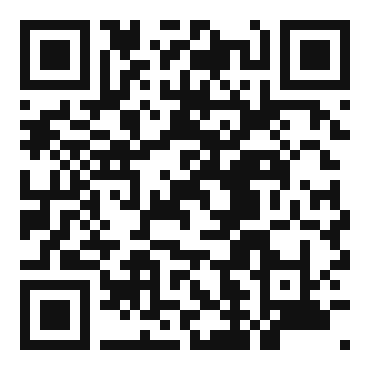
How to add Key Control
- In the ProSAFE app, open your hub and click Device.
- Click + Add device.
- Scan the QR code with the serial number on the back of the fob and click Next.
- Once the fob is found, click Next.
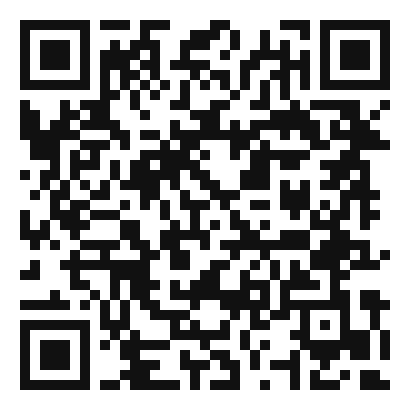
- Following the on-screen instructions, press simultaneously the arm button and the disarm button and click Next.
- Wait for pairing to complete.
- Enter a name for the fob, select an area, and click Done.
Control via the key fob
Once the fob has been added to the system, you can use it immediately. The maximum communication distance between the fob and the hub is up to 900 m in open space – this distance is reduced by walls, ceilings, and any obstacles blocking signal propagation.
- Pairing / reconnecting to the hub – press the arm button and the disarm button simultaneously.
- Arm (full) – pressing the arm button once arms all devices in the assigned area. If the hub has System integrity checkenabled, the button must be pressed twice.
- Partial arming – pressing the partial arm button once arms only the selected devices in the assigned area (Home Armed mode).
- Disarm – pressing the disarm button once disarms all devices in the assigned area.
- SOS – pressing the SOS / control button once sends a panic alarm to the system.
States
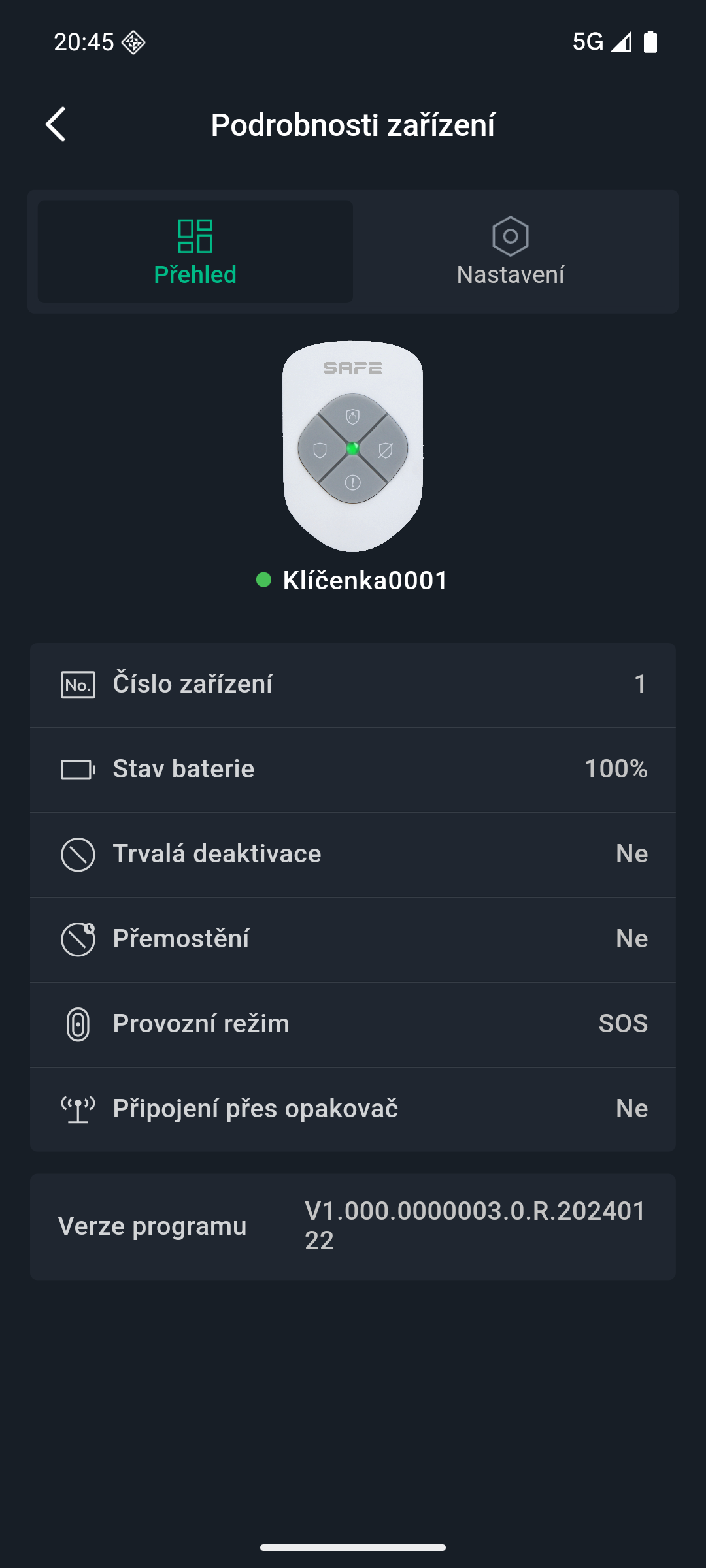
You can view the current status of the fob in the ProSAFE app by selecting the fob in the device list.
| Parameter | Meaning |
|---|---|
| Permanent disarm | Status of the fob's functions
|
| Battery level | Full / sufficient / medium / insufficient / low |
| SOS status | The current panic alarm status |
| Transmission via repeater | Whether the fob relays messages to the hub via a signal repeater |
| Firmware version | The fob's current firmware version |
Settings
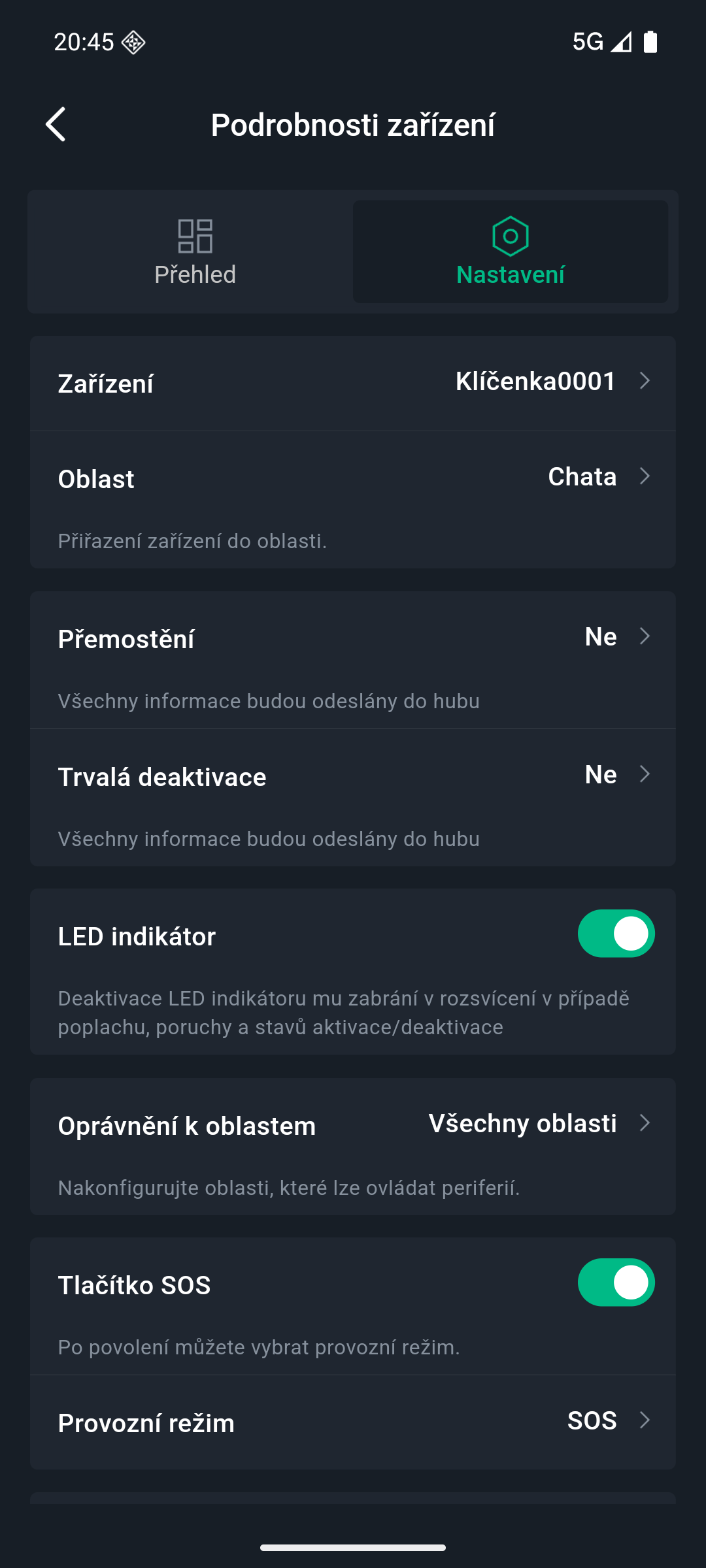
To change the settings, in the ProSAFE app select the fob in the device list and click the edit icon.
| Settings | Value |
|---|---|
| Device name | Custom name for the fob; displayed in the device list and in notifications |
| Area | Assignment of the fob to a system area |
| Permanent disarm | Allow (default) / Disable tamper alarm only / Disable |
| LED indicator | On (default) / off – when off, the LED does not light regardless of the fob's status; turning it on takes effect after pressing any button |
| Area permissions | Selection of the areas the fob is allowed to control |
| SOS alarm | If enabled, a push notification is sent when the alarm is triggered |
| Siren linkage | When an alarm is triggered by the fob, the siren sounds |
| Video linkage | When an alarm occurs, a video recording from the selected camera channel is attached to the event |
| Video channel | Selection of the camera channel for video linkage |
| Cloud update | Once a new version is detected, click Update in the app and then press any button on the fob – this starts the update |
| Remove device | Deletes the fob from the system (swipe left in the device list) |
Signaling
| LED indication | Event |
|---|---|
| Fast green blinking | Pairing mode |
| Continuously lit green | Normal state |
| Continuously lit red | The fob is offline |
| First blinks green, then lights up red | Connection to the hub failed |
Battery replacement
The fob is powered by 1× CR2032 button-cell battery with a lifespan of up to 5 years. The ProSAFE app will warn you of a low battery.
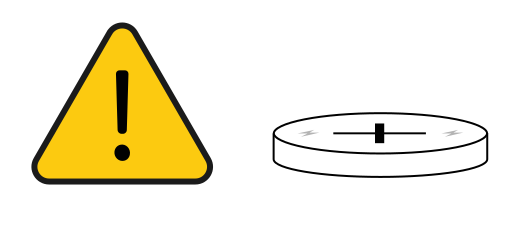
- Using a narrow, rigid tool, carefully separate the two parts of the fob's cover.
- Remove the old battery and insert a new CR2032 battery. Observe the correct polarity – the "+" symbol on the battery must match the symbol in the compartment.
- Close the fob's back cover.
Maintenance
- Protect the fob from falls, impacts, and splashing or dripping liquid.
- Do not disassemble the fob or modify its construction in any way.
- Store and use only within the permitted temperature and humidity range.
- Regularly check the battery status and signal strength in the ProSAFE app.
- Replace a depleted battery only with a new battery of the same type and model (CR2032).
Technical Specifications
| Interface | |
| Indication | 1× two-color LED status indicator (green: normal state, red: abnormality) |
| Button | 4× (arm, partial arm, disarm, SOS / control) |
| Function | |
| Tamper contact | Yes (tamper) |
| Remote update | Yes (Cloud) |
| Search | Signal strength detection |
| Low battery warning | Yes |
| Wireless transmission – SAFE Keeper | |
| Carrier frequency | 868,0–868,6 MHz |
| Transmitter power (EIRP) | limit 25 mW |
| Communication distance | Up to 900 m (2 952,76 ft) in open space |
| Communication type | Two-way |
| Encryption mode | AES128 |
| Frequency hopping | Yes |
| General | |
| Power supply | 1× CR2032 battery (included) |
| Power consumption | Max. 100 mW |
| Current draw | ≤ 3 µA (operation) / ≤ 50 mA (alarm) |
| Battery life | 5 years |
| Operating temperature | −10 °C to +55 °C (indoor) |
| Operating humidity | 10–90 % RH |
| Product dimensions | 60.0 × 39.5 × 15.0 mm (L × W × H) |
| Package dimensions | 137 × 98 × 28 mm (L × W × H) |
| Weight (net) | 20 g |
| Weight (gross) | 80 g |
| Housing material | PC + ABS |
| Color | White (SAFE 38030) / black (SAFE 38031) |
| Supplier model | ARA24-W2(868) |
| Compatibility | Hub 2 Plus LTE (SAFE 38300), Hub v1.001.0000000.4.R.211014 or later, ProSAFE app v1.96 or later |
| Certification | CE; EN 50131-1:2006+A1:2009+A2:2017+A3:2020; EN 50131-6:2017; EN 50131-5-3:2017; EN 50131-3:2009; Security grade 2; Environmental class II |
Package Contents
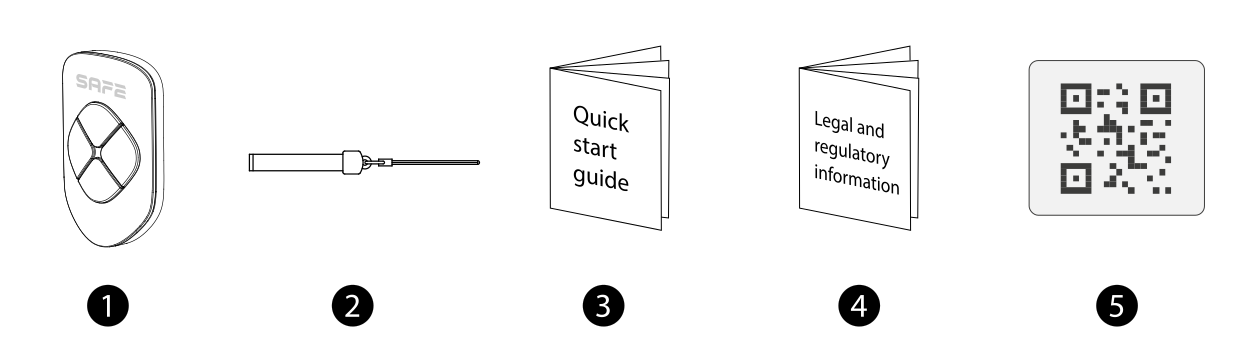
- Key Control – 1 pcs
- Strap – 1 pcs
- Quick user guide – 1 pcs
- Legal and regulatory information – 1 pcs
- QR code with the user manual – 1 pcs
Safety Notices
- The device contains a button-cell battery. Do not throw it into fire or a hot oven, and do not crush or cut it – there is a risk of explosion.
- Leaving the battery in an environment with extremely high temperature, or exposing it to extremely low air pressure, can lead to explosion or leakage of flammable liquid and gas.
- Keep new and used batteries out of the reach of children so they cannot swallow them. A swallowed button-cell battery can cause severe internal burns within as little as 2 hours and lead to death – if you suspect a battery has been swallowed or inserted into the body, seek medical help immediately.
- Replace a depleted battery only with a new battery of the same type and model (CR2032).
- Transport, use, and store the device only under permissible temperature and humidity conditions.
- Do not let liquids drip or splash onto the device, and do not place any objects containing liquid on it.
- Do not disassemble or modify the device – in case of a fault, contact technical support.
- Do not place the device where it is exposed to direct sunlight or near heat sources; keep it away from moisture, dust, and soot.
- Do not dispose of the product with regular household waste – hand it in for recycling through the electrical equipment take-back system.
Warranty
The SAFE Key Control device comes with a warranty of 36 months from the date of sale. The warranty does not cover the battery or defects caused by failure to follow the instructions in this manual.
If you experience any problems with the device, contact technical support first – most situations can be resolved remotely.
Gallery
Need Help?
SAFE HOME europe technical support:
Email: info@safe-home.eu · Phone: (+420) 581 222 262
Website: www.smart-safe.eu