
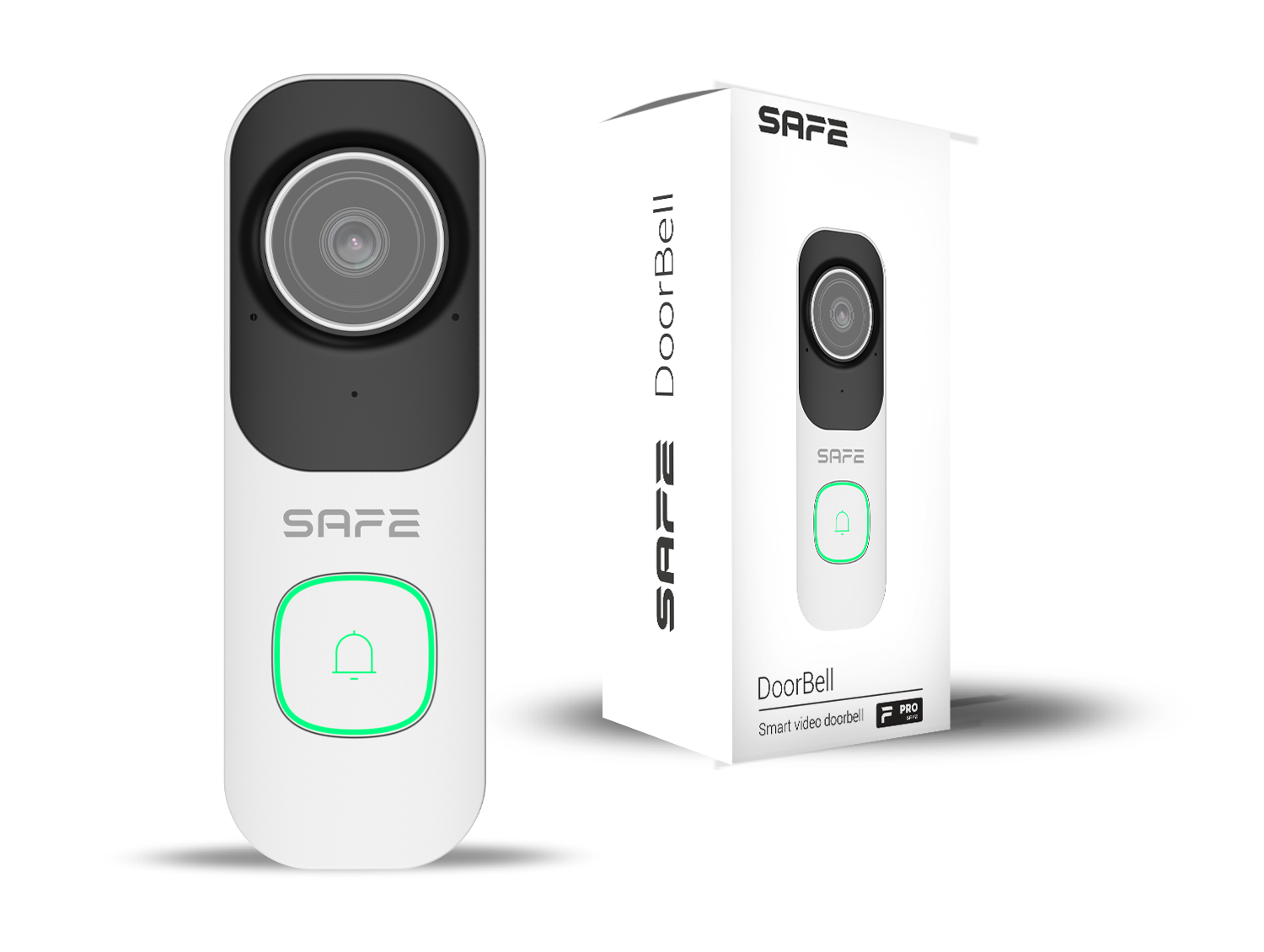
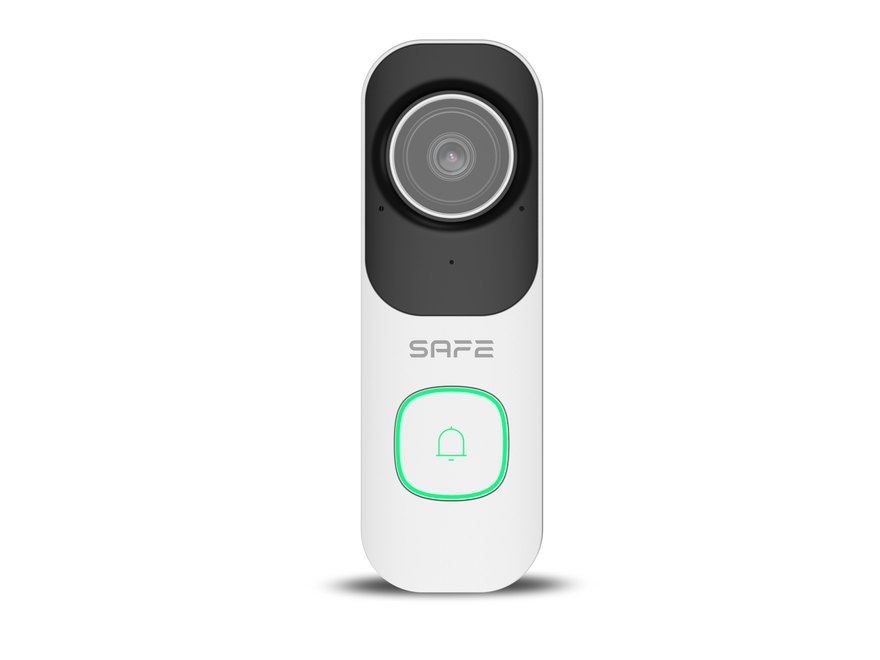
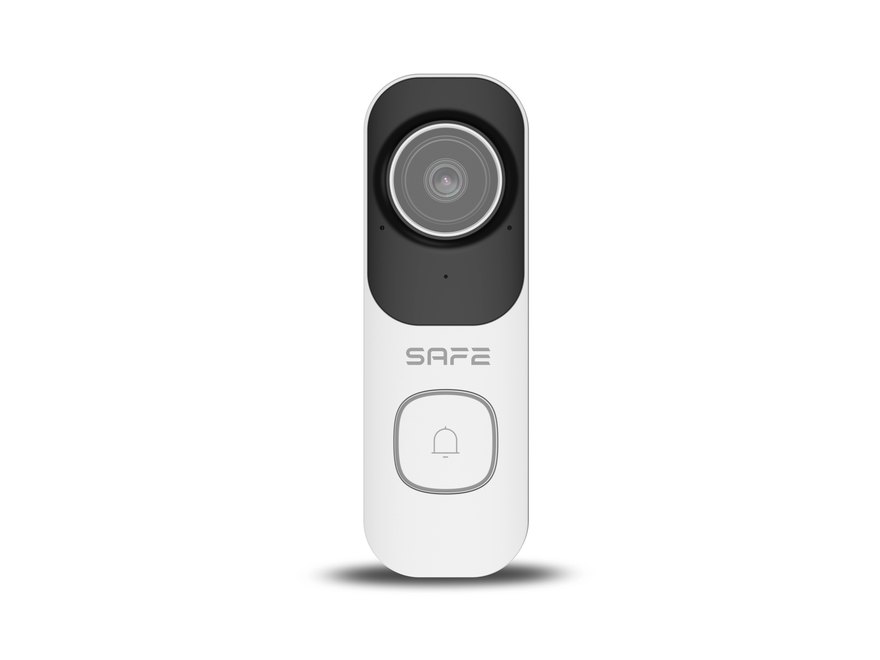
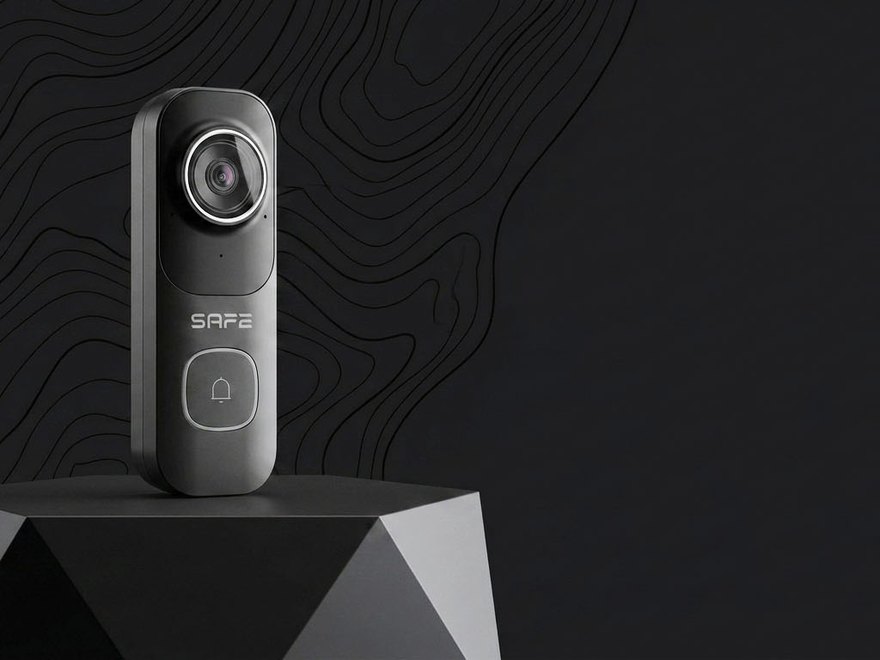
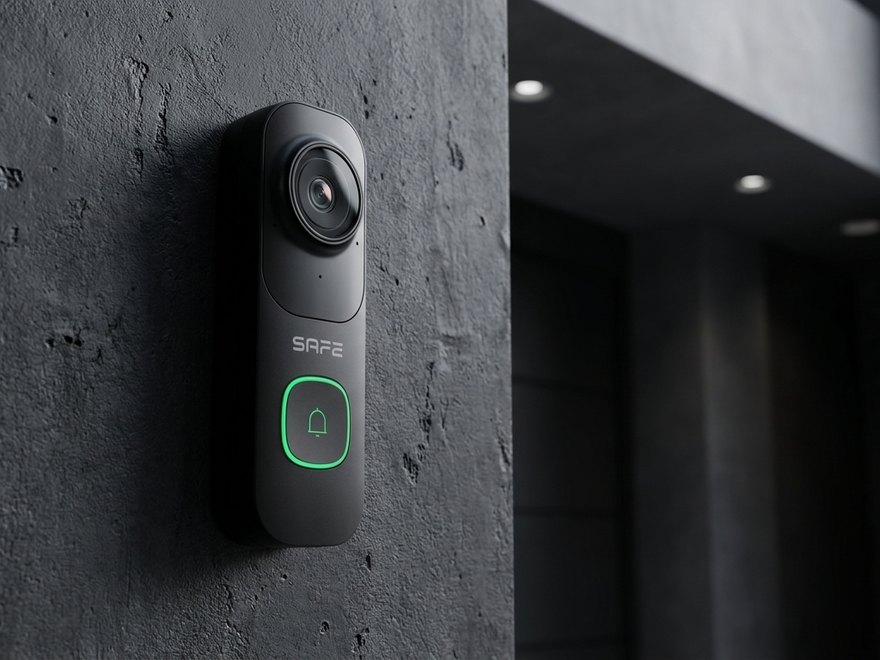
SAFE DoorBell is not just another doorbell. It is a compact security system combining the convenience of a smart doorbell with professional security and video surveillance. The Doorbell offers an exceptionally wide field of view 143° of an ultra-wide-angle lens, ensuring visitor monitoring in a single, seamless high-resolution shot 4 Mpx (2560 × 1440 px) and support for Wi-Fi 6 representing the latest standard in data transfer speed and interference protection. Thanks to its PIR sensor and built-in AI technology, the Doorbell enables accurate motion recognition and identifies both people and vehicles. The Doorbell can work independently with just the app ProSAFE, or as part of the SAFE security ecosystem.
Preface
General
This user manual introduces the installation, features, and operation of the Wi-Fi video doorbell (hereinafter the "Doorbell"). Before using the device, read the manual carefully and keep it for future reference.
Safety Instructions
The following signal words may appear in the user manual:
| Signal Word | Meaning |
|---|---|
| DANGER | Indicates a high potential hazard that, if not avoided, may result in death or serious injury. |
| WARNING | Indicates a medium or low potential hazard that could cause minor or moderate injury if not avoided. |
| CAUTION | Indicates a potential risk that could lead to property damage, data loss, reduced performance, or an unpredictable outcome. |
| TIP | Provides methods to help you solve a problem or save time. |
| NOTE | Provides additional information, such as emphasis and supplementary text. |
Revision History
| Version | Revision Content | Release Date |
|---|---|---|
| V1.0.0 | First release. | August 2026 |
Privacy Notice
As a device user or data controller, you may collect personal data of others, such as their face, fingerprints, and license plate number. You must comply with local privacy laws and regulations to protect the legitimate rights and interests of other people by implementing measures that include, among others: providing clear and visible identification to inform people of the existence of the monitored area and providing the required contact information.
About the Manual
- The user manual serves as a reference guide only. There may be minor differences between the information provided and the product.
- We are not liable for any damage resulting from using the product in a manner that does not comply with the instructions in the user manual.
- The manual will be updated according to the latest laws and regulations of the relevant jurisdictions. For detailed information, refer to the printed user manual, scan the QR code, or visit our official website. The manual is for reference purposes only. There may be minor differences between the electronic and paper versions.
- All designs and software are subject to change without prior written notice. Due to product updates, certain differences may occur between the product and the information in the manual. Customer service will provide you with the latest version of the software and supplementary documentation.
- There may be printing errors or discrepancies in the description of functions, operations, and technical data. In the event of doubt or dispute, we reserve the right of final explanation. If the manual (in PDF format) cannot be opened, update your reader software or try a different common reader software.
- All trademarks, registered trademarks, and company names in the manual are the property of their respective owners.
- If you encounter any problems while using the device, visit our website or contact your supplier or customer service.
- In the event of ambiguity or dispute, we reserve the right of final explanation.
Important Safeguards and Warnings
This section contains information on the proper handling of the product, risk prevention, and prevention of property damage. Read it carefully before using the device and follow the instructions provided when using it.
Operating Requirements
- Before use, make sure the device's power supply is working properly.
- Do not unplug the device's power cable while it is switched on.
- Use the device only within its rated power range.
- Transport, use, and store the device within the permitted humidity and temperature conditions.
- Prevent liquids from splashing or dripping onto the device. Make sure there are no liquid-filled objects on the device, to prevent liquid from entering it.
- Do not disassemble the device.
Installation Requirements
- Before switching on, connect the device to the power adapter.
- Strictly comply with local electrical safety standards and make sure the voltage in the area is stable and matches the device's power requirements.
- Do not connect the device to more than one power source. Otherwise, the device could be damaged.
- When working at heights, follow all safety procedures and use the required protective equipment.
- Do not expose the device to direct sunlight or heat sources.
- Do not install the device in damp, dusty, or smoky locations.
- Install the device in a well-ventilated location and do not block its ventilation.
- Use the power adapter or power supply provided by the device manufacturer.
- The power supply must meet the ES1 requirements of IEC 62368-1 and must not exceed PS2. The power supply requirements are governed by the device's rating label.
- Connect Class I electrical appliances to a socket with protective earthing.
Functional Elements
 Chybí obrázek: 62020-zarizeni.svg
- Camera – captures the entrance image at a resolution of 4 Mpx and a field of view of 143°.
- Microphone – picks up ambient sound and the visitor's voice for two-way communication.
- Micro RESET button – used to restore the device to factory settings.
- Micro SD card slot – for local storage of recordings (max. 256 GB).
- USB-C power input – power supply 5 V DC ±5 %, 2 A.
- LED indicator – multicolor device status indicator (see Signaling).
- Doorbell button / ringing – the visitor uses it to trigger ringing and a notification in the app.
- Speaker – plays the user's voice or voice messages for visitors.
- External power terminals – for fixed wiring 10–24 V DC or 14–24 V AC.
Operating Principle
SAFE DoorBell is a Wi-Fi video doorbell that connects directly to the home Wi-Fi network and is controlled by the app ProSAFE. Unlike the SAFE system's wireless detectors, it does not communicate via the SAFE Keeper protocol – once added to the network it works independently, or as an addition to the SAFE security system using the same app.
AI detection of people and vehicles
The built-in PIR sensor detects motion in the selected detection zones; the built-in artificial intelligence then determines whether it is a person, or a vehicle. The detection area can be divided in the app into up to 4 adjustable rectangular zones, which reduces false alarms caused, for example, by passers-by or vehicles passing outside the driveway.
Night vision and WDR
The device automatically switches between color and black-and-white mode (ICR) depending on ambient lighting. In the dark, adaptive infrared illumination (2× IR LED) with a range of up to 10 m, which allows visitors' faces to be recognized even at night. The DWDR (digital wide dynamic range) function balances differences in scene lighting, for example against backlight.
Unusual sound detection
The Doorbell continuously evaluates sounds around the entrance. When an unusual sound is detected (e.g. breaking glass or a loud impact), it sends a notification to the ProSAFE app.
Two-way communication
The built-in microphone and speaker let you have a normal conversation with the visitor directly from the app, without having to open the door or be at home. Alternatively, you can play a pre-recorded voice message for visitors.
Wi-Fi 6 and stable connection
The device supports the Wi-Fi 6 (IEEE 802.11b/g/n/ax) in the 2,4 GHz band, which, thanks to improved signal processing techniques, maintains a more stable data connection even in areas with a weaker signal (e.g. at an entrance door farther from the router) and better handles the operation of multiple devices on the network at the same time.
Adding to the System
Before adding the device
- Install the app ProSAFE and log in to your account.
- On your phone, turn on Bluetooth and connect it to your home Wi-Fi network in the 2,4 GHz (the device does not support the 5 GHz band).
- Have ready the password for the Wi-Fi network you want to connect the Doorbell to.

How to add the DoorBell
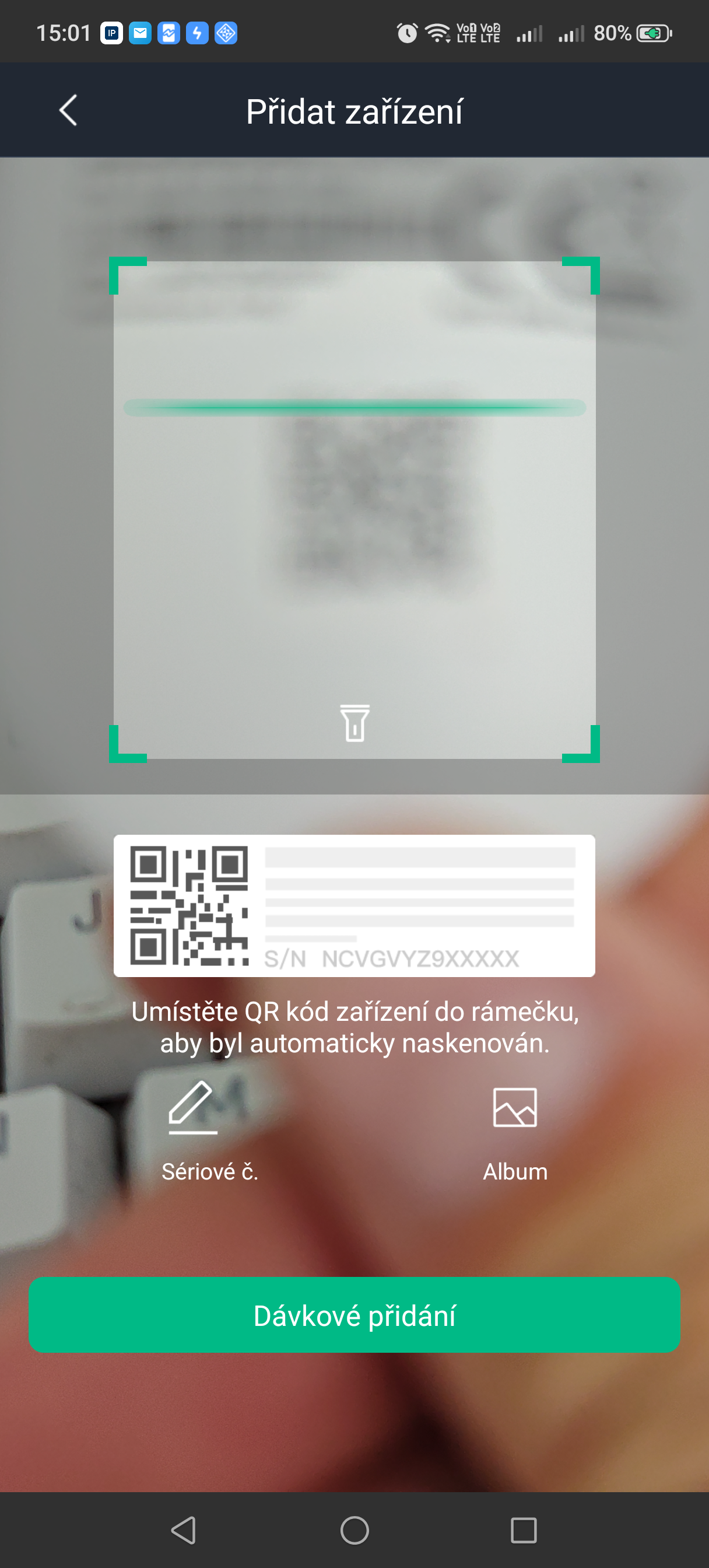
- In the ProSAFE app, click + Add device and then on Scan QR code.
- Scan the QR code with the serial number located on the device or on the enclosed label, and click on Next.
- Wait for the Bluetooth connection to be established – a message confirming successful connection will appear.
- Click Next.
- Enter the Wi-Fi network password and click Next.
- Enter the device name, select an area (zone), and tap Done.
- After installation, check the stability of the Wi-Fi signal at the device's installation location in the app.
States
You can view the current status of the Doorbell in the ProSAFE app by selecting the device in the device list.
| Parameter | Meaning |
|---|---|
| Online status | Connection between the device and the Wi-Fi network
|
| Wi-Fi signal strength | Home Wi-Fi network signal level at the installation site |
| SD card status | Inserted and OK / missing / read error / full |
| Storage info | Used and free capacity of the inserted microSD card |
| Chime linking status | Paired / not paired (see Linking with the Chime) |
| Firmware version | Current device software version |
Settings
You adjust the settings in the ProSAFE app: select the device in the device list and click the edit icon.
| Settings | Value |
|---|---|
| Device name | Custom name for the Doorbell; shown in the device list and in notifications |
| Area (zone) | Assignment of the device to a system zone |
| Video resolution | Main stream 2560 × 1440 px / sub stream 640 × 360 px |
| Motion detection | On/off; up to 4 adjustable rectangular detection zones in the image |
| Person detection | Turns on AI person recognition in the detection zone |
| Vehicle detection | Turns on AI vehicle recognition in the detection zone |
| Unusual sound detection | Turns on alerts for unusual sounds nearby |
| Night vision | Automatic (ICR) / color / black-and-white; IR illumination setting |
| WDR | Turns on DWDR to balance scene contrast |
| Call volume | Microphone and speaker volume for two-way communication |
| Voice messages for visitors | Upload custom messages (MP3, max. 1 MB) played when the doorbell button is pressed |
| LED indicator | On (default) / off |
| Linking with the Chime | Pairing / unpairing the optional SAFE Chime |
| Format SD card | Formats the inserted microSD card |
| Firmware update | Remote device update |
| Remove device | Removing the Doorbell from the system (swipe left in the device list) |
Signaling
| LED indication | Event |
|---|---|
| Slowly flashing green | Waiting to connect to the network |
| Rapidly flashing green | Connecting to the network |
| Solid green | The device is working correctly |
| Solid red | Device powering on |
| Slowly flashing red | Fault |
| Rapidly flashing blue | Ringing mode (doorbell button pressed) |
Choosing the installation location
Install the Doorbell on the wall by the entrance door so that the 143° field of view captures the entire area in front of the entrance. The recommended installation height is 1 400–1 600 mm from the ground.
Where not to install the device
- Facing direct sunlight or strong reflections, which could affect image quality and camera exposure.
- In places with a weak Wi-Fi network signal.
- In places where obstacles (posts, vegetation, awnings) block the lens's field of view.
- In places out of cable reach, if you plan to use fixed (hardwired) power.
Installation
The Doorbell is mounted on the wall using the back cover (mounting plate). Before mounting, we recommend temporarily adding the device to the app and verifying the Wi-Fi signal strength at the installation site.
- Before mounting, insert into the slot a microSD card, if you want to use it for local recording.
- Attach the device's back cover to the wall using the included screws at the height 1 400–1 600 mm from the ground.
- Connect the device to power according to the diagram on the label – either using a USB-C (5 V DC, 2 A) cable, or by fixed wiring to the external power terminals (10–24 V DC / 14–24 V AC, 1,0 A).
- Attach the device body to the back cover (by clicking it into place).
- Finish adding the device in the ProSAFE app (see Adding to the System) and verify that image, sound, and motion detection are working.
microSD card and recording
SAFE DoorBell stores recordings locally on a microSD card (max. 256 GB) – so the device does not require any paid cloud storage or subscription. All data remains under your control directly on the device.
- Turn off the device's power and insert the microSD card into the slot on the back of the device.
- After connecting power and adding the device to the app, format the card in the Settings device (Format SD card).
- Regularly check the card's status and used capacity in the States.
Linking with the Chime
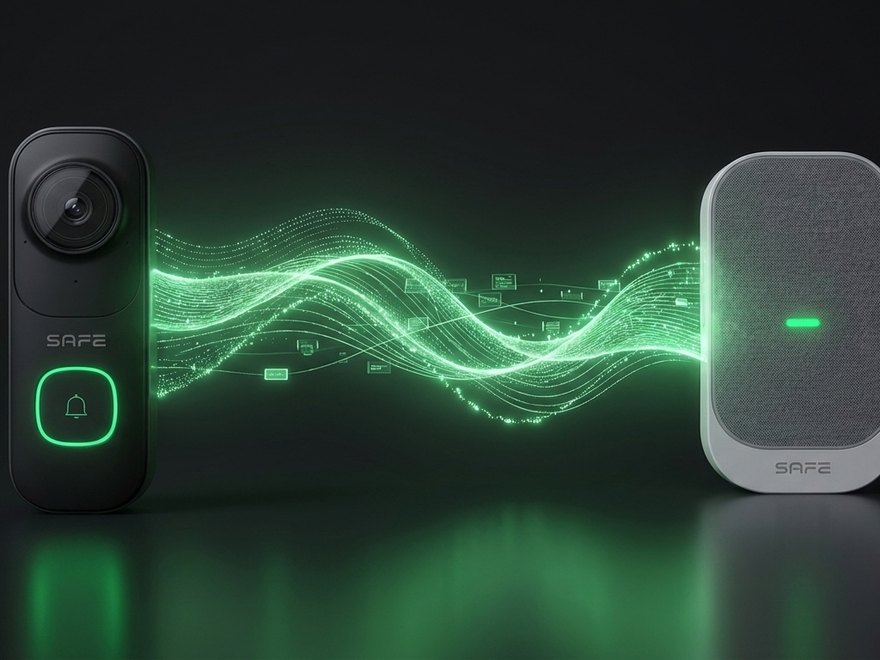
Optional accessories SAFE Chime is a compact indoor chime that adds audible ringing inside the home to the SAFE DoorBell – even without a phone at hand. The SAFE Chime is sold separately and is paired with the device via the ProSAFE app.
Pairing the Chime
- In the Doorbell settings in the ProSAFE app, click on Chime connection.
- On the Chime, press and hold the previous-ringtone button until you hear a beep and the indicator stays lit continuously.
- In the app, click Connect chime and wait until the indicator on the Chime stops flashing and goes out – the Doorbell and the Chime are now successfully paired.
- Verify the binding by clicking Ring – if the Chime rings, pairing was successful.
Unpairing the Chime
- On the Chime, press and hold the next-ringtone button until the indicator stops flashing and goes out, then release the button.
- In the app, click Ring the chime – if the Chime does not ring, it has been successfully unpaired. If it rings, repeat the procedure.
Maintenance
- Keep the camera lens clean – wipe off dust with a soft, dry cloth or use an air blower. Do not touch the lens glass directly.
- Do not use aggressive cleaning agents or solvents; clean the device body with a soft cloth, optionally slightly dampened with a neutral cleaning agent.
- Regularly check the Wi-Fi signal strength and the microSD card status in the ProSAFE app.
- Check that no newly appeared obstacles (vegetation, decorations) block the lens's field of view.
- Keep the device firmware and the ProSAFE app up to date.
- Do not disassemble the device; protect the cabling and connectors from damage.
Technical Specifications
| Camera | |
| Image sensor | 1/3" CMOS – 4 Mpx |
| Lens | Fixed, 2,3 mm, F2.2, M8 mount |
| Max. resolution | 2560 × 1440 px |
| Field of view | H: 120°; V: 66°; D: 143° |
| Min. illumination | 0,0004 lx @F2.2 (color); 0,0003 lx @F2.2 (B/W); 0 lx (with illumination) |
| Signal-to-noise ratio | > 56 dB |
| Shutter | Automatic / manual, 1/3 s – 1/100 000 s |
| Min. focus distance | 0,5 m |
| Image rotation | 0° / 180° |
| Night vision | |
| Day/night modes | Automatic (ICR); color and black-and-white |
| Illumination type | Adaptive infrared illumination (2× IR LED) |
| Illumination range | Up to 10 m |
| WDR | DWDR |
| Video and audio | |
| Video compression | H.265; H.264; H.264H; H.264B |
| Frame rate | Main stream 2560 × 1440 px @ 1–15 fps; sub stream 640 × 360 px @ 1–15 fps |
| Bitrate control | VBR; CBR |
| Video bitrate | 32–8192 kbps (H.264/H.265) |
| Audio | Integrated microphone and speaker – two-way communication |
| Audio compression | G.711a; G.711Mu; PCM |
| Features and AI | |
| Motion detection | Off/on, up to 4 adjustable rectangular zones |
| Person detection | Yes (AI) |
| Vehicle detection | Yes (AI) |
| Unusual sound detection | Yes |
| Noise reduction | 3D NR |
| Alarm events | Missing SD card; SD card error; motion detection; person detection; vehicle detection |
| Network and pairing | |
| Wi-Fi | Wi-Fi 6 – IEEE 802.11b/g/n/ax, 2,4000–2,4835 GHz, EIRP ≤ 20 dBm |
| Pairing | Bluetooth |
| Compatibility | ProSAFE app v1.99.00 or later |
| Storage | |
| Storage type | microSD card, max. 256 GB |
| Cloud storage | Not required – local recording |
| Control Devices | |
| Indication | 1× multicolor LED indicator |
| Buttons | 1× doorbell button; 1× micro Reset button |
| Power supply | |
| Power supply | USB: 5 V DC ±5 %, 2 A; or terminals 10–24 V DC / 14–24 V AC, 1,0 A |
| Power consumption (operating) | 1,7 W (5 V DC); 2,1 W (10–24 V DC); 2,2 W (14–24 V AC) |
| Power consumption (max.) | 5,3 W (5 V DC); 6,8 W (10–24 V DC); 6,8 W (14–24 V AC) |
| General | |
| Operating temperature | −20 °C to +55 °C |
| Operating humidity | ≤ 95 % RH |
| Dimensions | 135 × 45 × 24,2 mm |
| Weight | 110 g |
| Housing material | PC + GF (glass-fiber-reinforced plastic) |
| Ingress protection rating | IP65 |
| Installation | Wall mount, surface mounting; recommended height 1 400–1 600 mm |
| Certification | CE; CE-LVD: EN62368-1; CE-EMC: 2014/30/EU; CE-RED: 2014/53/EU |
| Model Designation | SAFE 62020 – white version; SAFE 62021 – black version |
| EAN code | 0728204235096 (white); 0728204235089 (black) |
Package Contents
- SAFE DoorBell Wi-Fi video doorbell – 1 pc
- Back cover (mounting plate) – 1 pc
- Mounting kit (screws, plugs) – 1 set
- QR code with serial number – 1 pc
- Quick user guide – 1 pc
- Legal and regulatory information – 1 pc
Safety Notices
- Power the device only in the manner specified on the label and in this manual; do not connect it to multiple power sources at the same time.
- Fixed wiring to the external power terminals (10–24 V DC / 14–24 V AC) should be entrusted to a qualified electrician in accordance with local regulations.
- Operate and store only within the permitted temperature and humidity range (−20 °C to +55 °C, ≤ 95 % RH).
- Do not touch the camera lens directly; use a soft, dry cloth or an air blower for cleaning.
- Protect the cabling and connectors from mechanical damage, especially at the point where they enter the device.
- Do not dispose of the product with regular household waste – hand it in for recycling through the electrical equipment take-back system.
Warranty
The SAFE DoorBell device is covered by a warranty of 36 months from the date of sale. The warranty does not cover defects caused by failure to follow the instructions provided in this manual.
If you experience any problems with the device, contact technical support first – most situations can be resolved remotely.
Gallery
Need Help?
SAFE HOME europe technical support:
Email: info@safe-home.eu · Phone: (+420) 581 222 262
Website: www.smart-safe.eu