
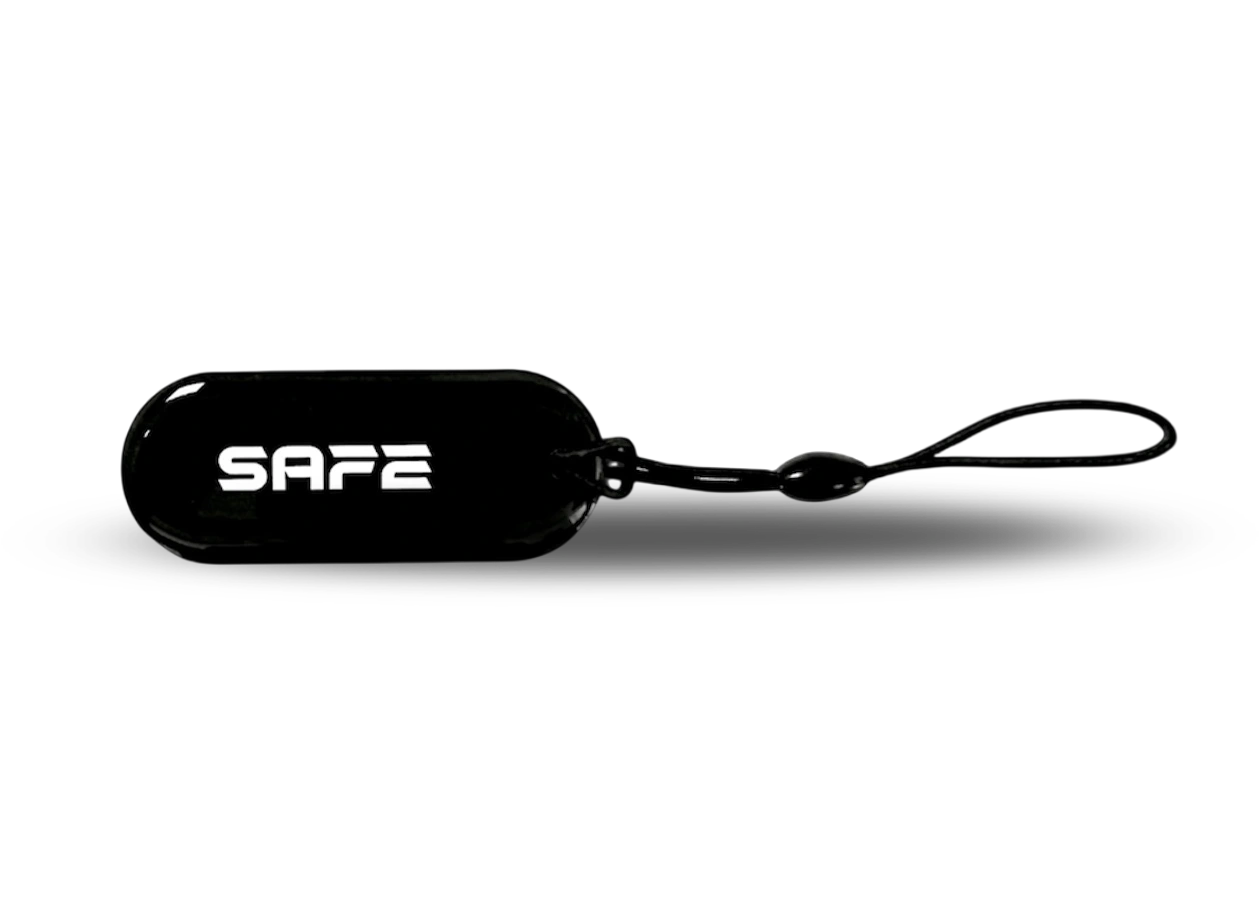
Smart Tag is an encrypted contactless RFID tag for controlling the status of the SAFE security system. It allows you to manage the security of the premises without a user account, without the ProSAFE app and without knowing an access code – simply hold it against the RFID reader on a compatible keypad or another SAFE system device with an RFID function.
Foreword
General
This user manual describes the functions and use of the contactless RFID tag (hereinafter the “tag”). Read the manual carefully before using the device and keep it for future reference.
Safety instructions
The following signal words may appear in the user manual:
| Signal word | Meaning |
|---|---|
| NEBEZPEČÍ | Indicates a high potential hazard which, if not avoided, may result in death or serious injury. |
| VAROVÁNÍ | Indicates a medium or low potential hazard which, if not avoided, could result in minor or moderate injury. |
| UPOZORNĚNÍ | Indicates a potential risk which could lead to property damage, data loss, reduced performance or an unpredictable result. |
| TIP | Provides methods to help you solve a problem or save time. |
| POZNÁMKA | Provides additional information, such as emphasis or a supplement to the text. |
Revision history
| Version | Revision content | Release date |
|---|---|---|
| V1.0.0 | First release. | September 2026 |
| V1.0.1 | New illustration of holding the tag against the reader. | October 2026 |
| V1.0.2 | Package contents corrected. | October 2026 |
Privacy notice
As a user of the device or a data controller, you may collect the personal data of others, such as their face, fingerprints and licence plate number. You must comply with local privacy protection laws and regulations in order to protect the legitimate rights and interests of other people by taking measures which include, but are not limited to: providing clear and visible identification to inform people of the existence of the monitored area and providing the required contact information.
About the manual
- The user manual serves as a reference only. Minor differences may occur between the information provided and the product.
- We are not liable for damage resulting from use of the product in a manner that is not in accordance with the instructions in the user manual.
- The manual will be updated in line with the current laws and regulations of the relevant countries. For detailed information, see the printed user manual, scan the QR code or visit our website. The manual is for information purposes only. The electronic and printed versions may differ in minor details.
- All designs and software may be changed without prior written notice. As a result of product updates, certain differences may appear between the product and the information in the manual. The latest version of the software and supplementary documentation is available from customer service.
- Printing errors or deviations may occur in the description of functions, operations and technical data. In case of doubt or dispute, we reserve the right of final interpretation. If the manual (in PDF format) cannot be opened, update your reader software or try another common reader.
- All trademarks, registered trademarks and company names in the manual are the property of their respective owners.
- If any problems occur while using the device, visit our website, or contact your supplier or customer service.
- In case of ambiguity or dispute, we reserve the right of final interpretation.
Important precautions and warnings
This section contains information on the correct handling of the product, risk prevention and prevention of property damage. Read it carefully before using the device and follow the instructions provided while using it.
Operating requirements
- Before use, make sure the device's power supply is working properly.
- Do not unplug the device's power cable while it is switched on.
- Use the device only within its rated power range.
- Transport, use and store the device under the permitted humidity and temperature conditions.
- Prevent liquids from splashing or dripping onto the device. Make sure there are no objects filled with liquid on the device, to prevent liquids from entering it.
- Do not disassemble the device.
Installation requirements
- Connect the device to the power adapter before switching it on.
- Strictly comply with local electrical safety standards and make sure the voltage in the area is stable and matches the device's power requirements.
- Do not connect the device to more than one power source. Otherwise, the device could be damaged.
- When working at height, follow all safety procedures and use the required protective equipment.
- Do not expose the device to direct sunlight or sources of heat.
- Do not install the device in damp, dusty or smoky locations.
- Install the device in a well-ventilated location and do not block its ventilation.
- Use the power adapter or power supply provided by the device manufacturer.
- The power supply must meet the ES1 requirements of IEC 62368-1 and must not exceed PS2. The power supply requirements are governed by the device's rating label.
- Connect Class I electrical appliances to a socket with protective earthing.
Functional elements
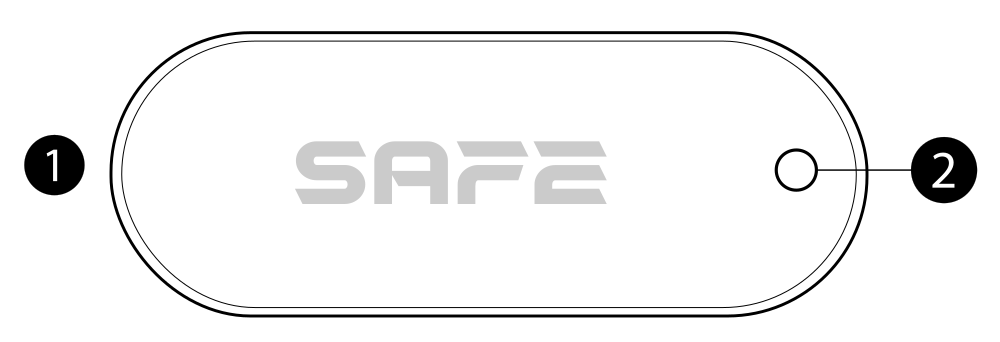
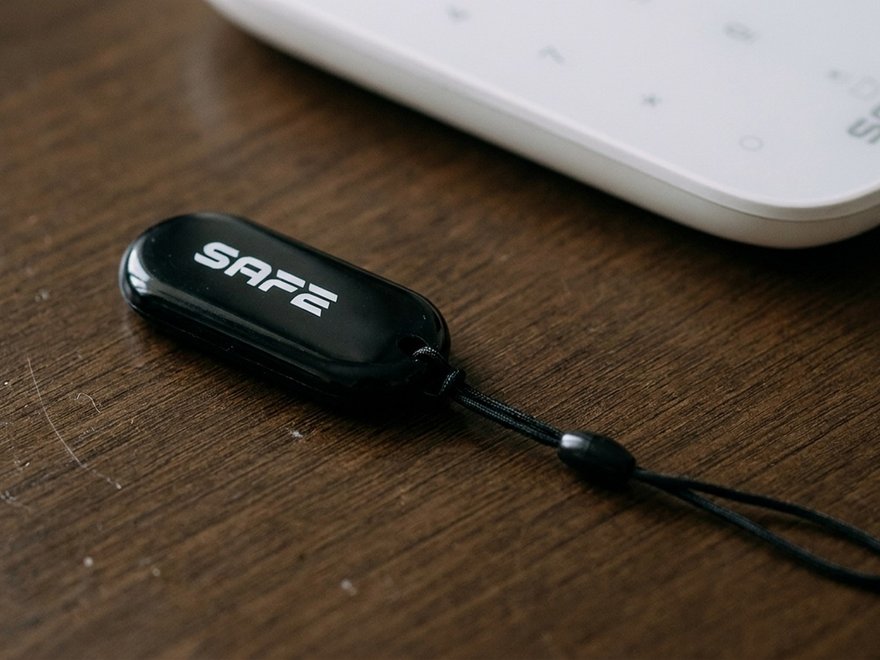
- Tag body – a passive RFID chip and antenna are encapsulated inside. The tag has no battery, button or indicator; all feedback is given by the reader that you hold it against.
- Mounting hole (Ø 3 mm) – for the supplied elastic cord or a key ring.
Principle of operation
The Smart Tag is a passive contactless chip conforming to the international standard ISO 14443, operating on the high-frequency band 13.56 MHz using MIFARE technology. It obtains both energy and data inductively from the reader's field – it needs no power supply of its own, and so has nothing to discharge or replace.
Identification and encryption
Each tag carries a unique identifier UID (4 bytes). Communication between the tag and the reader is protected by CRYPTO1 / NXP MIFARE Classic encryption with authentication, which makes eavesdropping and copying more difficult.
One tag for several systems
A single tag can control an unlimited number of Hubs. The user thus has a single key for all of their SAFE systems – office, house, warehouse and cottage. The tag is issued separately to each system and can have different permissions in each.
What the tag can trigger
- a change of system status – arming a disarming,
- running a preconfigured scene – for example switching on a light or opening a door or a sliding gate via a SAFE system relay.
Adding to the system
The tag is enrolled in the system via a device with an RFID reader. The following is compatible SAFE Keypad Plus (SAFE 38050).
Before enrolling the tag
- Install the ProSAFE app and log in to your account.
- Make sure that a compatible keypad with an RFID reader has been added in the app.
- The system must be in the Disarmed – tags can be enrolled and deleted only then.
Enrolling the tag in User Management
- In the ProSAFE app, open User Management.
- Select the user to whom you want to assign the tag.
- Tap the icon for adding a card.
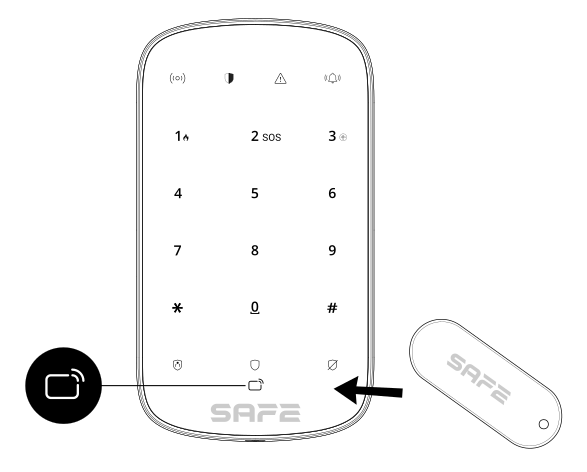
- Press any key to wake the keypad and, within 30 seconds, hold the tag against the reader area – the keypad then enters card enrolment mode.
- After successful recognition, the tag ID is displayed in the app and the keypad beeps once. Once the configuration has been saved, the tag receives the permissions of the assigned user.
Enrolling the tag in the device list
- In the app, open the keypad in the device list.
- Tap the add icon and select Add card.
- Hold the tag against the reader area – the keypad enters card enrolment mode.
- On the screen Linked user choose whether to assign the tag to an existing user or to create a new one.
System control
Hold the tag against the RFID reader area on the keypad. The keypad confirms receipt with a sound and light signal.
| Situation | What holding the tag against the reader does |
|---|---|
| All assigned areas are disarmed | Performs global arming of all areas assigned to the tag |
| At least one assigned area is armed | Performs disarming |
If arming fails because of a reported fault, it can be forced by holding the same tag against the reader again within 10 seconds.
Permission management and log
In the ProSAFE app, the user or system administrator can assign each tag a name a individual access permissions – that is, the areas that it can control.
- Every action is recorded in the event log showing who changed the system status or carried out the operation, and when.
- The administrator can at any time restrict or revoke permissions remotely – if a tag is lost, it is enough to delete it from the system.
- One keypad user can have up to 8 tags or cards.
Carrying and placement
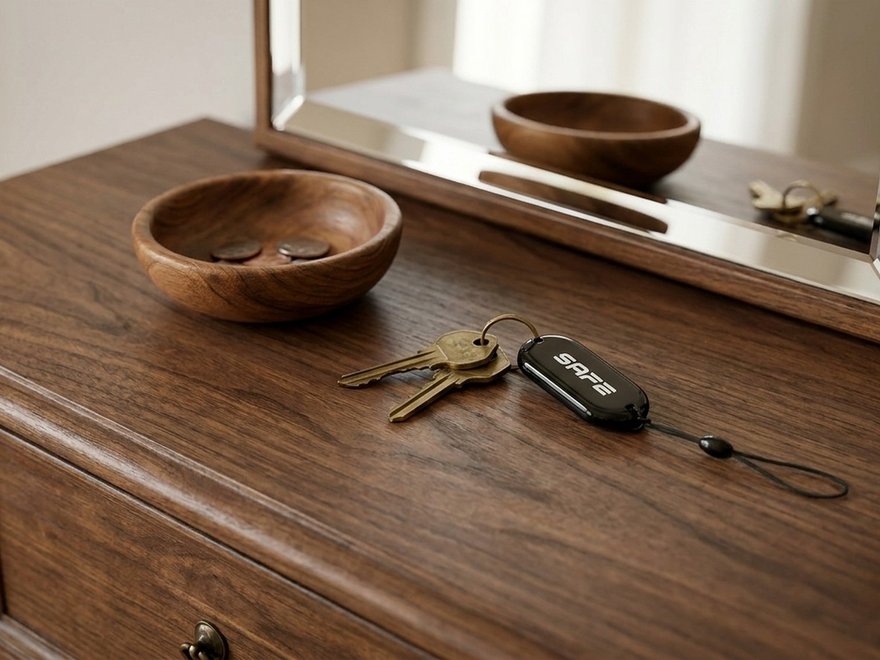
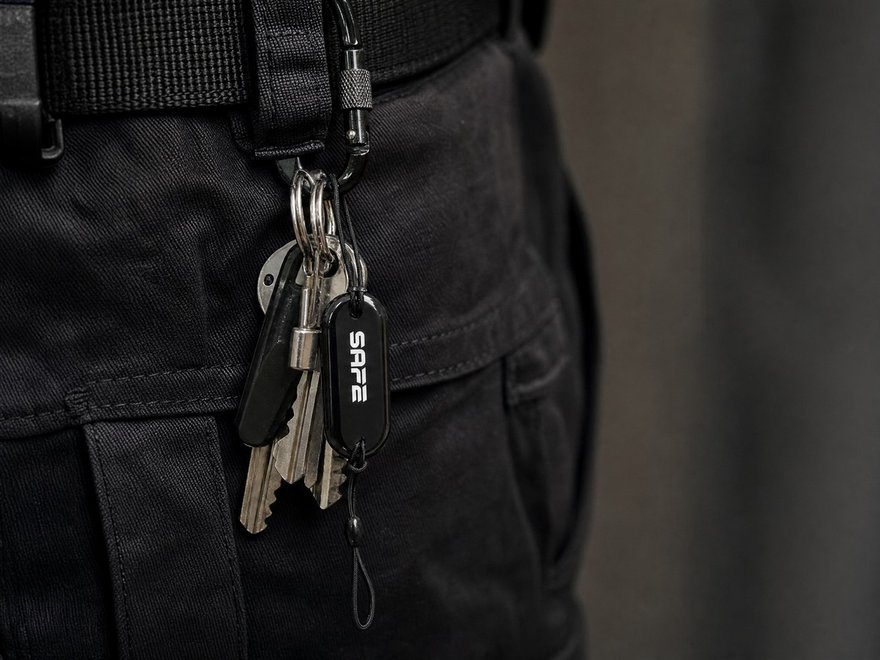
- Carry the tag on the supplied elastic cord or on a key ring.
- The reading distance is a few centimetres – hold the tag directly against the marked reader area.
- A metal surface in close proximity to the tag (for example a key case or a metal wallet) may impair or prevent reading. In that case, take the tag out of the case.
- Do not store the tag permanently in a strong electromagnetic field.
Maintenance
- Wipe the tag with a dry, soft cloth. Do not use solvents or abrasive cleaning agents.
- Do not bend the tag, drill into it or subject it to mechanical stress – the encapsulated chip and antenna may be irreversibly damaged.
- After any handling or a drop, check that it works by holding it against the reader.
- The tag is passive and has no battery – it requires no regular maintenance.
Technical specifications
| Model designation | |
| SAFE 10010 | EAN 0728204235232 |
| Chip and communication | |
| Technology | MIFARE |
| Standard | ISO 14443 |
| Frequency | 13.56 MHz (HF – high frequency) |
| Chip type | FUDAN O8 – MIFARE 1K compatible, 4-byte UID |
| Memory | 1 KB read/write (1024 bytes, of which approx. 712 bytes are usable by the user) |
| UID | 4 bytes (32 bits) – standard fixed, or CUID (changeable) |
| Encryption | Yes – CRYPTO1 / NXP MIFARE Classic |
| Authentication | Yes |
| Anti-collision protection | Yes |
| Function in the system | |
| Assignment to a user account | Yes |
| Maximum number of Hubs controlled | Unlimited |
| Compatibility | SAFE Keypad Plus (SAFE 38050) |
| General | |
| Power supply | Passive – obtains energy from the reader's field, contains no battery |
| Operating temperature | −20 °C to +70 °C |
| Operating humidity | 20–90 % RH |
| Storage humidity | 20–90 % RH |
| Dimensions | 50 × 20 × 4 mm, corner radius 10 mm |
| Mounting hole | Ø 3 mm |
| Weight | 3,3 g |
| Material | PVC card + epoxy |
| Colour | Black, white SAFE logo |
| Elastic cord | Yes – included in the package |
| Certification | CE |
| Warranty | 36 months |
Package contents
- Smart Tag – 1 pc
- Elastic cord – 1 pc
- Quick user guide – 1 pc
Safety notices
- Operate and store the tag only within the permitted temperature and humidity range (−20 °C to +70 °C, 20–90 % RH).
- Do not disassemble the tag, bend it or drill into it.
- Delete a lost tag from the system immediately.
- Keep the tag out of the reach of small children – there is a risk of swallowing.
- The elastic cord is not intended to be worn around the neck by small children – there is a risk of strangulation.
- Do not dispose of the product with ordinary municipal waste – hand it in for recycling in the electrical equipment take-back system.
Warranty
A warranty is provided on the SAFE Smart Tag device 36 months from the date of sale. The warranty does not cover defects caused by failure to follow the instructions given in this manual, mechanical damage or improper use.
In case of problems with the device, first contact technical support – most situations can be resolved remotely.
Gallery


Need help?
SAFE HOME europe technical support:
E-mail: info@safe-home.eu · Telephone: (+420) 581 222 262
Web: www.smart-safe.eu